Pull planning software connected to your CPM schedule
A digital sticky-note board by day and trade. Link notes to schedule activities, promise the work, and measure whether the plan held, so the board and the master schedule stop drifting apart.
A digital pull planning board your trades will recognize
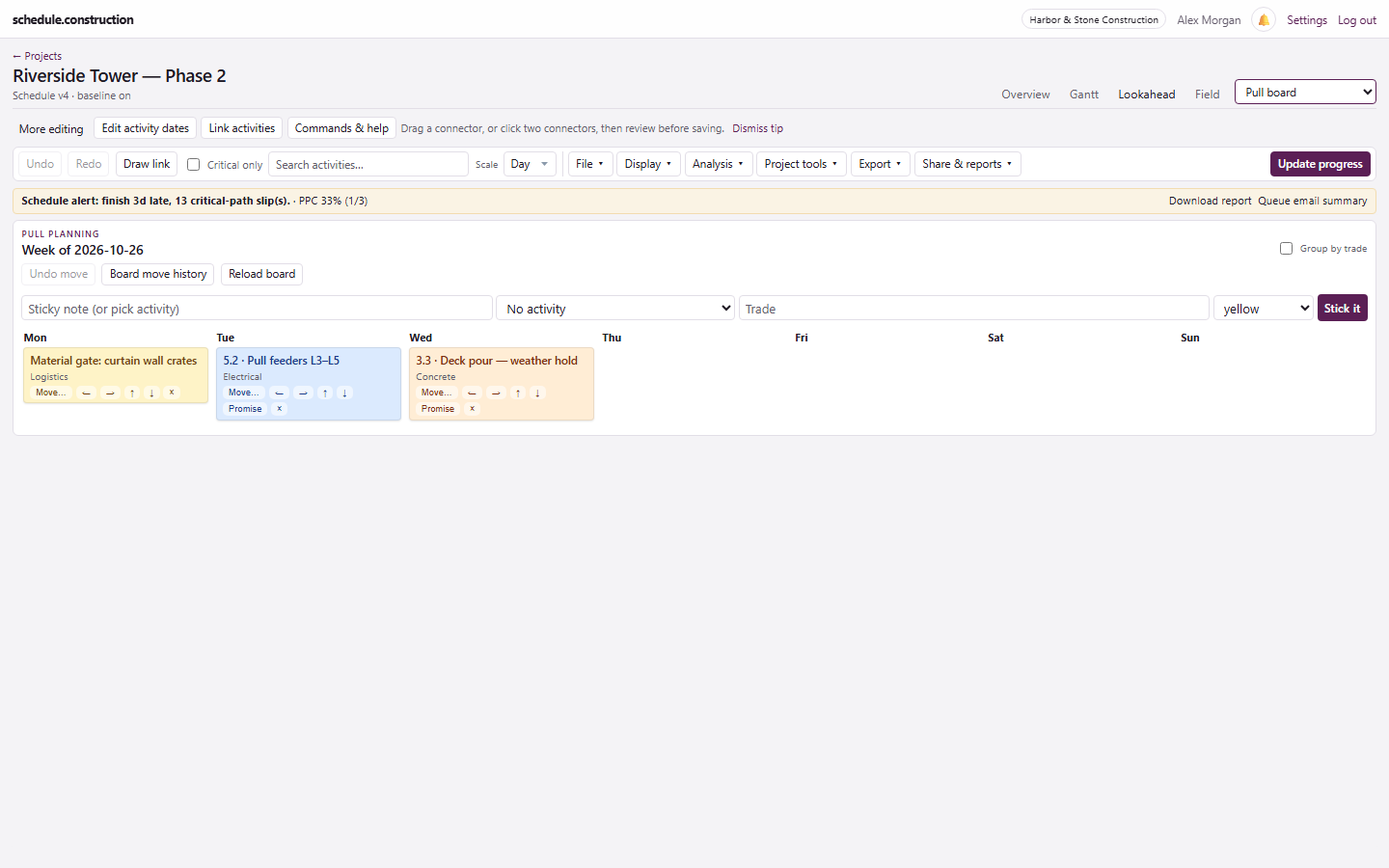
The board shows a week with a column for each day. Group it by trade for swimlanes, then move notes by dragging them or using the arrow buttons.
Sticky notes with trade colors
Swimlanes grouped by trade
Write a note, or pick an existing schedule activity
Viewers can see the board; Owners and Editors can change it
Sticky notes by day, trade, and commitment.
How the board connects to the schedule
A note can stand alone or link to a schedule activity. Linked notes can become measured commitments. Moving a note never changes schedule dates, so the team can work through a plan without accidentally rewriting the CPM schedule.
Dates change when progress is recorded, when the scheduler updates the schedule, or when a missed-promise proposal is accepted. For the handoff between the two, read how to tie a pull plan to a CPM schedule.
Turn promises into Percent Plan Complete
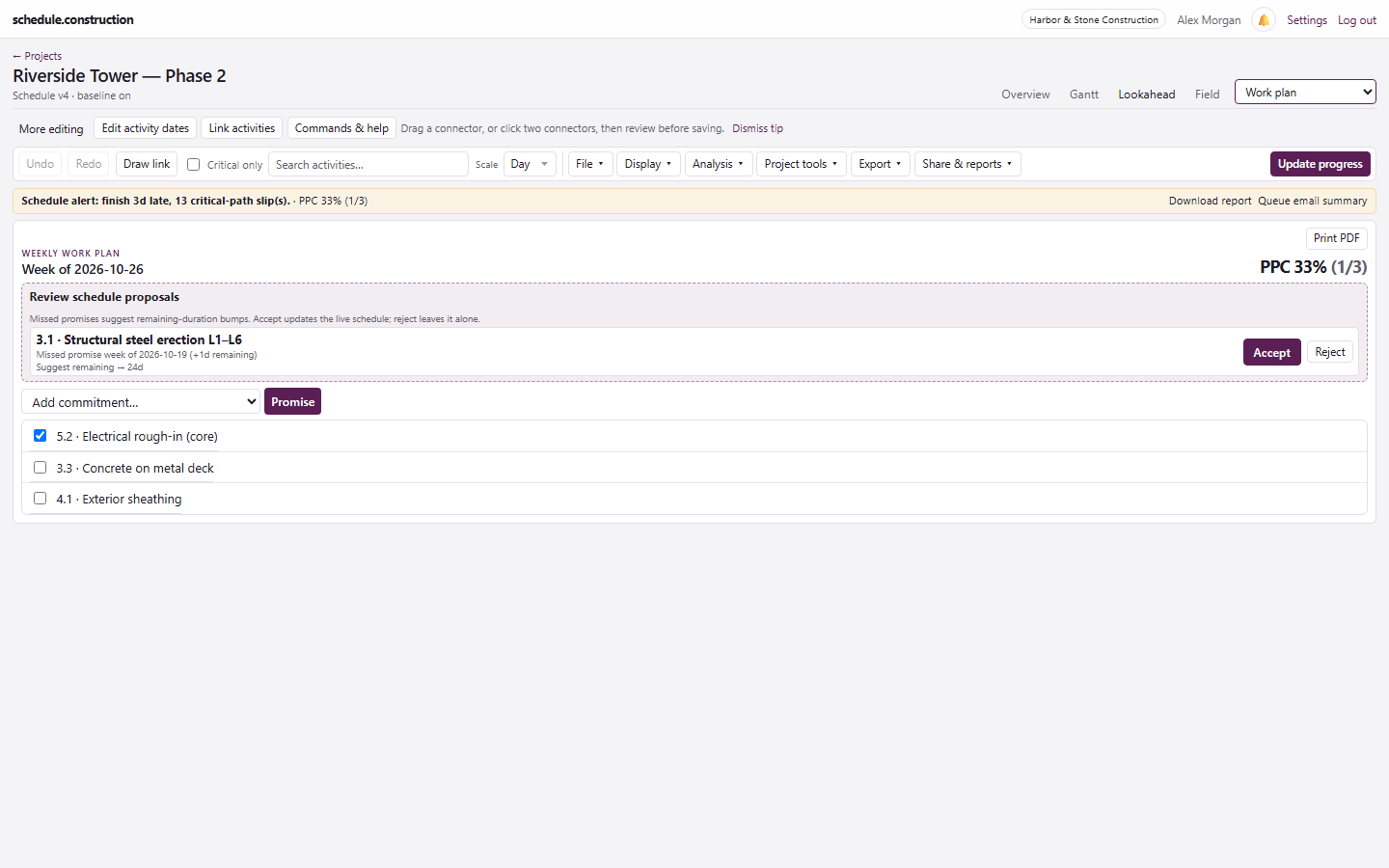
Promise a linked note and it becomes a commitment on the weekly work plan. Check it off when the work is complete, and PPC updates immediately.
It is a one-week board, not a multi-week wall for pulling back from a phase milestone
Notes without a linked activity can't be promised or counted in PPC
It doesn't track reason codes for missed commitments
It is a Last Planner-light workflow. Teams that run a full Last Planner program may need a dedicated lean tool.
Frequently asked questions
What is pull planning in construction?
Pull planning means working backward from a milestone or handoff. The trades doing the work define what each needs from the others, and the team sequences the work together.
Does moving a sticky note change the CPM schedule?
No. The board is a planning surface. The schedule changes when progress is recorded, the scheduler updates it, or someone accepts a missed-promise proposal.
Do we need physical stickies as well?
No, but you can use both. Some teams run the session on a wall and enter the commitments afterward.
What happens when a promise is missed?
If a promised note's day passes and its activity isn't finished, the work plan proposes adding remaining duration. The scheduler can accept it, which updates the schedule, or reject it.
Can I use the pull board without building a full CPM schedule?
You can add notes that aren't linked to activities, but commitments and PPC need linked activities. The product works best when the board and CPM schedule are used together.