Construction scheduling software built on the critical path
Build and update CPM schedules in the browser, bring in the P6, Microsoft Project, or Excel files you already have, and run the weekly field plan from the same dates. Nothing to install.
A construction schedule has to calculate, survive contract review, and still make sense to a foreman on Tuesday morning. Here is how each of those jobs is handled.
You need
How it works here
Real dates from real logic
CPM with total float, FS, SS, FF, and SF links, lag, constraints, and calendars
A plan you can read and edit
Interactive Gantt, network diagram, calendar, and timeline views
The files already on the job
P6 .xer, MS Project XML, and Excel import, with an import trust report
A record of what changed
Baselines, as-built vs as-planned on the Gantt, and Claim Digger comparisons
A plan the field will use
Three-week lookaheads, a pull board, weekly work plans, and PPC
Updates from the people doing the work
A phone-friendly Field view and Trade Updater access limited to their own activities
Something to send the owner
Read-only share links and print-ready Gantt PDFs
CPM scheduling and an interactive Gantt
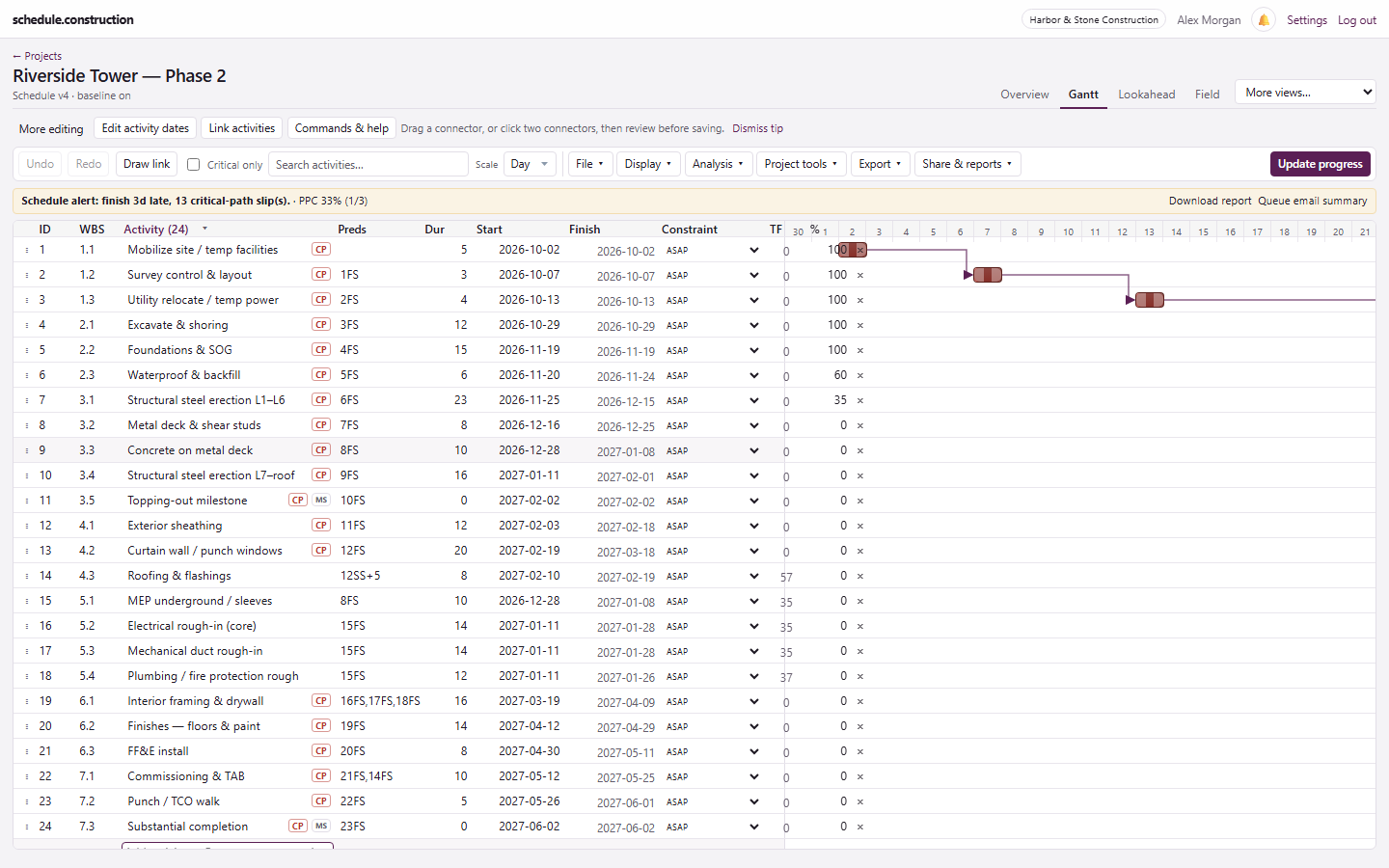
Drag bars, resize durations, and draw links on the chart. The schedule recalculates from logic, and critical and near-critical work stays visible while you edit.
WBS, activity codes, calendars, and bulk edits in one workspace
DCMA-style schedule quality checks
What-if scenarios that leave the live schedule alone
Resource loading, leveling, and earned value
Critical path, predecessors, float, and linked bars on one screen.
Import and export the files your team already uses
Bring a schedule in from Primavera P6, Microsoft Project, or Excel. The import trust report shows what was dropped or remapped, so you can check the result before relying on it. Moving from a specific tool? See the P6 comparison or the Microsoft Project comparison.
Import: P6 .xer, MS Project XML (MSPDI), Excel, and CSV
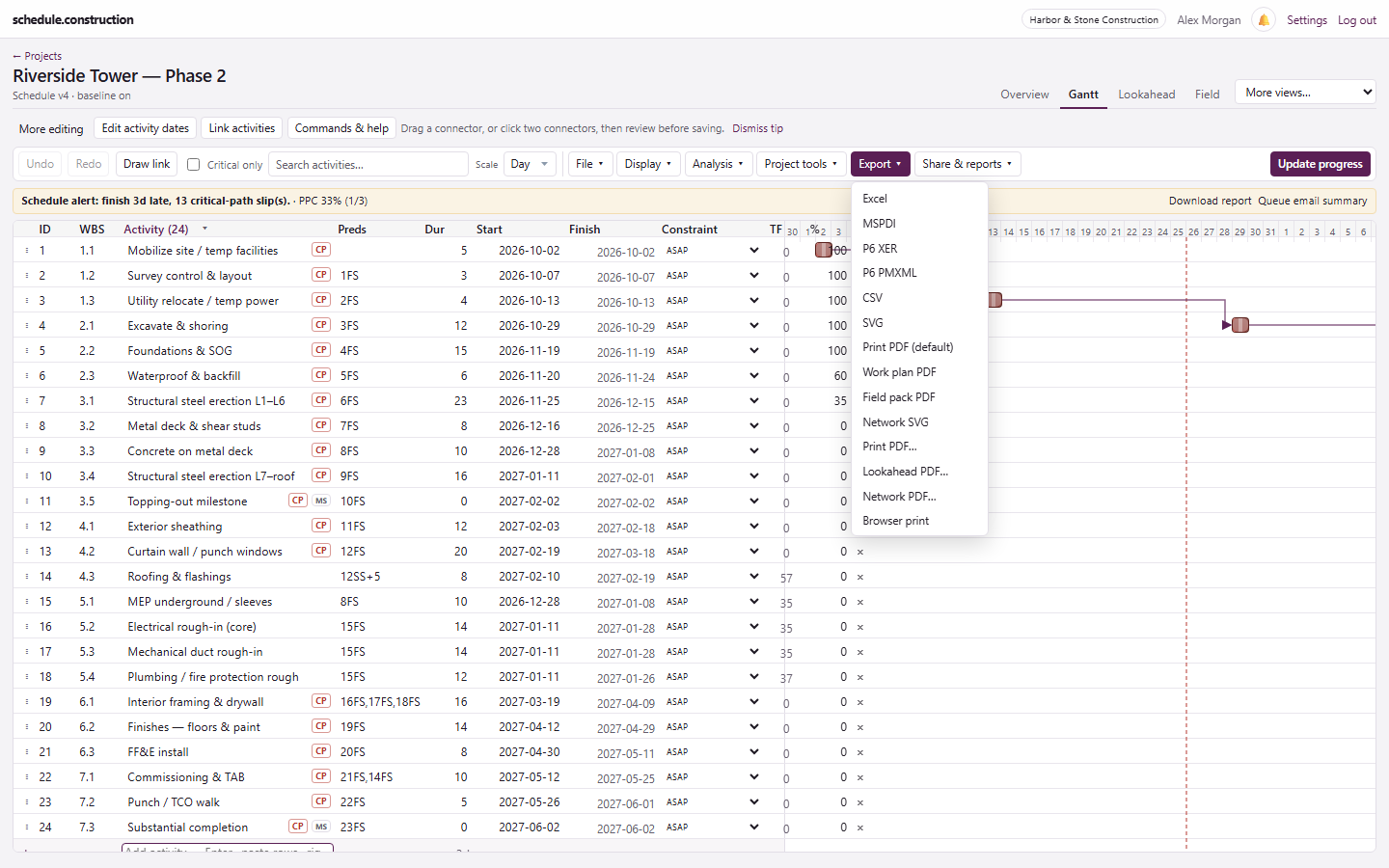
Export: Excel, XER, PMXML, MSPDI, CSV, SVG, and PDF
Native .mpp import is not available yet, so save as XML first
The Export menu covers the formats schedulers hand off.
Run the weekly plan from the master schedule
A three-week lookahead shows the critical, near-critical, and in-progress work ahead. The pull planning board turns it into a plan by day and trade. Weekly work plans track what the team promised and finished.
Lookahead PDFs and scheduled weekly emails
Promise pull-board notes into the weekly work plan
Percent Plan Complete (PPC) on the plan and in digests
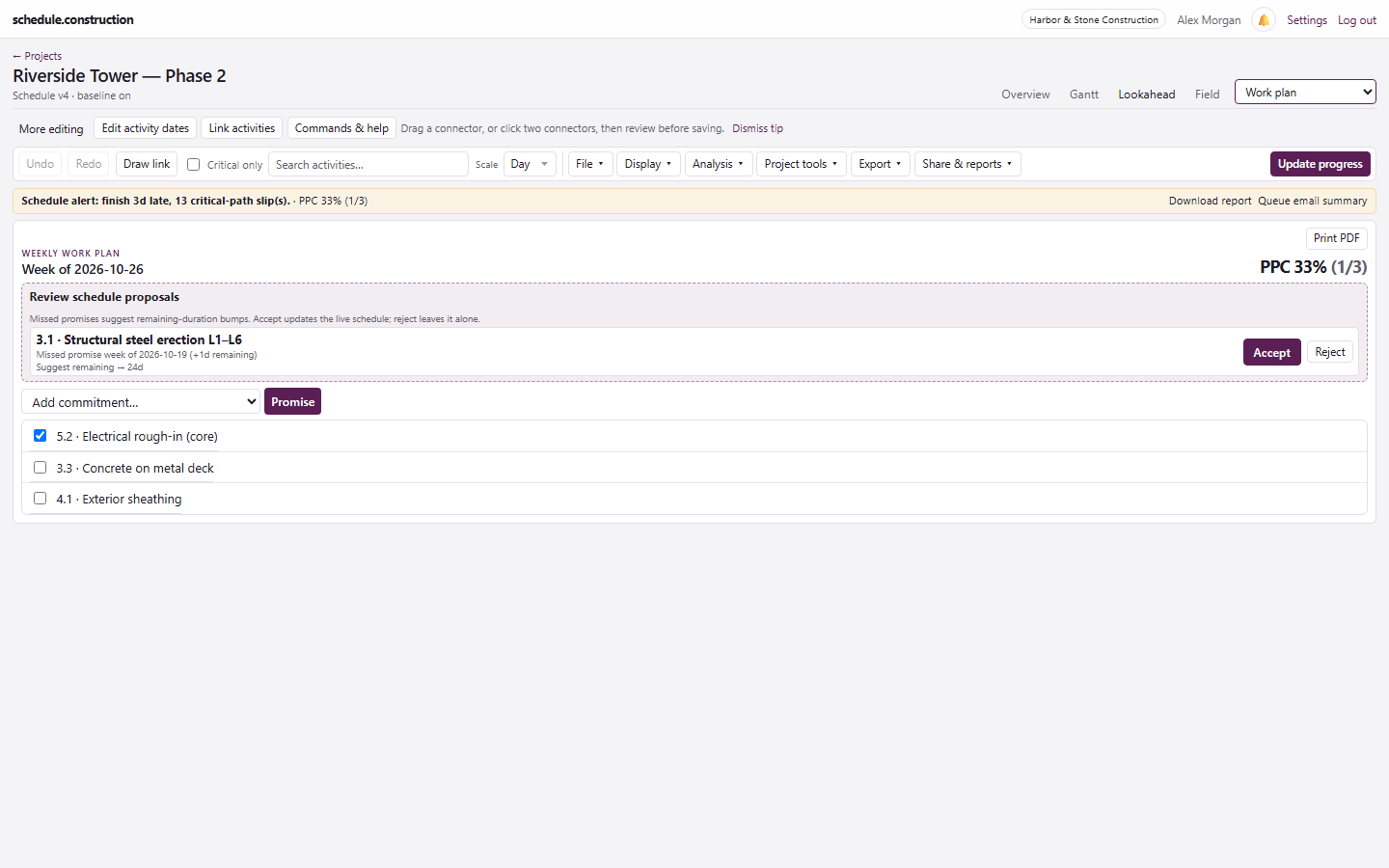
Missed promises become proposed schedule updates
Weekly commitments, PPC, and schedule-slip alerts.
Keep the field and the owner on the same schedule
Superintendents and foremen can update from a phone, even with a bad signal. Owners and CMs get a read-only link to the live schedule, with no account required.
Percent complete, actual dates, and remaining duration from the Field view
Trade Updaters can edit only the activities granted to them
Offline updates sync when the phone reconnects
Share links and view-only seats are free
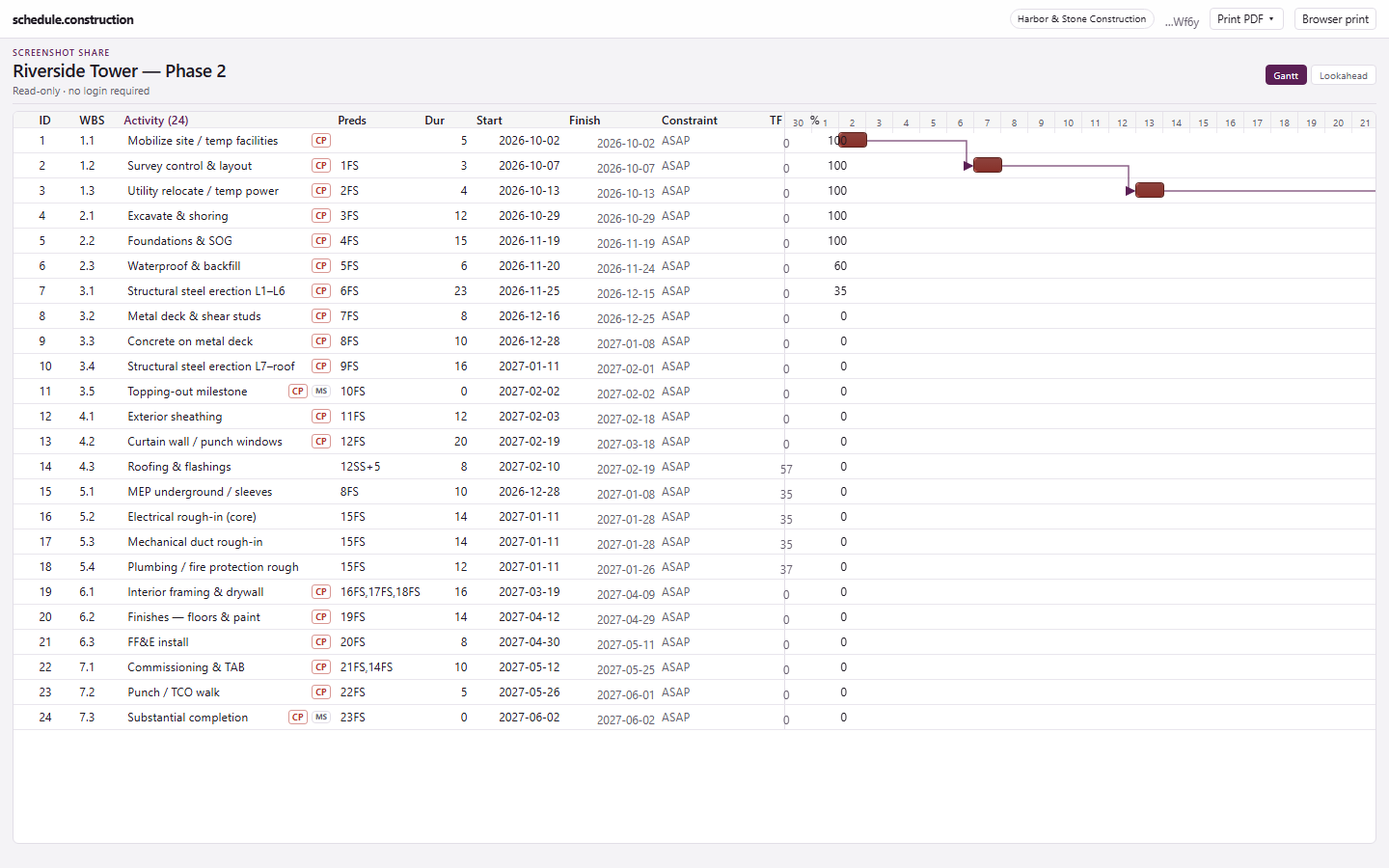
The share view: a read-only schedule with Print PDF.
Who it fits, and who it doesn't
It fits general contractors, specialty contractors, and owner's reps who need real CPM without an installed scheduling tool or a full project management suite.
It is not a good fit if you need a crew dispatch board, timesheets, document control, or Monte Carlo schedule risk analysis. The schedule is the product.
What it costs
A $50 company base fee, plus $10 per project manager and $5 per superintendent each month. View-only seats are free. Two PMs and three supers come to $85 a month.
Frequently asked questions
What is construction scheduling software?
It is software for planning the sequence and timing of construction work. It links activities with logic, calculates dates and the critical path, and tracks progress against a baseline as the job moves.
Is schedule.construction a full project management suite?
No. It doesn't handle RFIs, submittals, or accounting. It focuses on the schedule and can run alongside whatever project management system you already use.
Do I need to install anything?
No. It runs in the browser. On a phone, you can also add it to your home screen, and field updates keep working offline.
Can subcontractors update their own activities?
Yes. A Trade Updater can change progress and dates only on activities granted to them, and sees the rest of the schedule as read-only. Each Trade Updater uses a superintendent seat.
Can I try it before signing up?
Yes. The sandbox is a read-only demo with no credit card, and the full trial lasts 14 days.