CPM scheduling in the browser for teams that need to receive and send P6 files, but don't need an enterprise P6 setup on every job. If P6 is the better fit, this page says so.
Primavera P6 is a product of Oracle, and Microsoft Project is a product of Microsoft. Product names are trademarks of their respective owners. schedule.construction is not affiliated with or endorsed by Oracle or Microsoft.
When schedule.construction makes sense
You receive .xer files from owners or partners, but your team doesn't work in P6 every day
Project managers and superintendents need to read and update the schedule without training on a scheduler's tool
You want lookaheads, pull planning, and field updates tied to the same dates
You want to share the live schedule with owners and subs through a free read-only link
You'd rather not manage desktop installs or server environments
When to keep P6
Stay with P6 if any of these apply. Replacing it would create more risk than it removes.
Your contract requires a schedule produced and maintained in P6 itself. Read the spec, or ask the owner, before you switch.
You manage an enterprise portfolio with a centralized P6 database and established admin controls
You depend on P6-specific scheduling options, activity types, or settings to reproduce contract dates
Your claims consultants or owner's team need the schedule to stay in P6
Move a P6 schedule in and check it
In P6 Professional, export one project: File → Export → Primavera PM (XER) → Project.
Create a new project in schedule.construction, then choose File → Import schedule. Importing replaces that project's schedule, so don't use one you need to keep.
Read the import trust report for anything dropped or remapped.
Run Analysis → Validation, then compare the project finish and critical path with P6. If dates differ, check the calendars first.
Activities, WBS, relationships and lag, calendars, constraints, resources, and progress come across. Relationships to activities outside the exported project do not. See the P6 import guide and the conversion checklist.
Send XER back when someone needs it
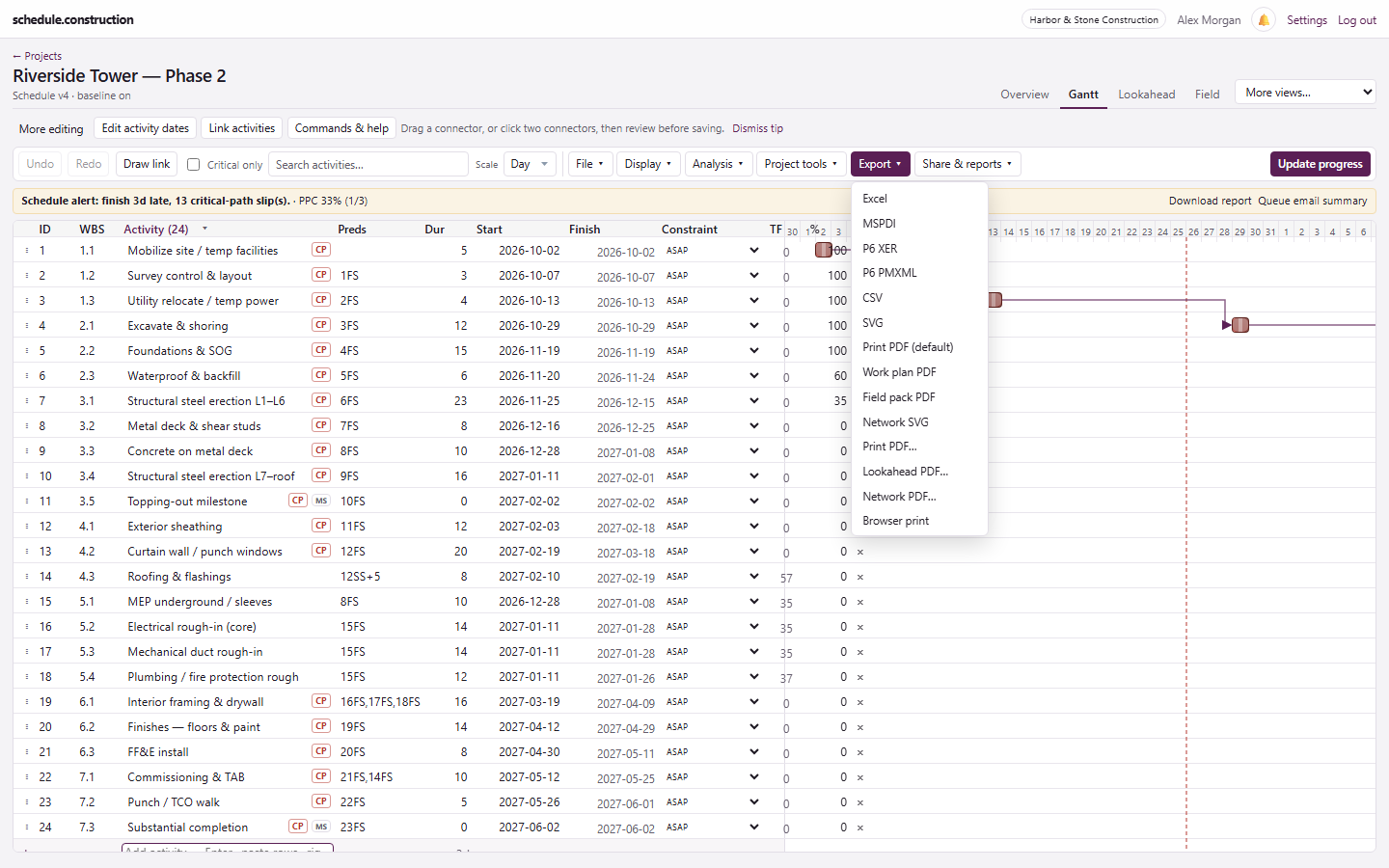
Export to P6 XER or PMXML from the Export menu whenever an owner, consultant, or partner needs a P6 file. Before your first contractual submittal, send a test file and confirm the recipient can open and accept it. Every conversion can lose something, so check what is inside the file.
P6 XER for P6 Professional
P6 PMXML for P6 EPPM workflows
Print PDF to send alongside the native file
P6 XER and PMXML sit in the same Export menu as Excel and PDF.
Frequently asked questions
Can schedule.construction open Primavera P6 .xer files?
Yes. It imports .xer files, including ones sent to you by an owner or another contractor. Each import produces a trust report showing what was dropped or remapped.
Can I export back to P6?
Yes. You can export a .xer file for P6 Professional or PMXML for P6 EPPM. Confirm that the recipient can open it before relying on it for a submittal.
Will the dates match P6 exactly?
They should match closely when the calendars come across cleanly, but don't assume they will. Compare the project finish and critical path after each import. Calendar differences are the usual cause of a mismatch.
Does an exported .xer satisfy a contract that requires P6?
It depends on the contract. Some specs ask for a native file, while others require the schedule to be maintained in P6. Check the spec and ask the owner when it isn't clear.
Can I try my own .xer file before paying?
Yes. Start a 14-day trial, import the file into a new project, and compare the results with P6.